![Logotype+Lettrine - Horizontal - Renversé (1).png]](https://go.progressionlive.com/hs-fs/hubfs/Logotype+Lettrine%20-%20Horizontal%20-%20Renvers%C3%A9%20(1).png?height=40&name=Logotype+Lettrine%20-%20Horizontal%20-%20Renvers%C3%A9%20(1).png)
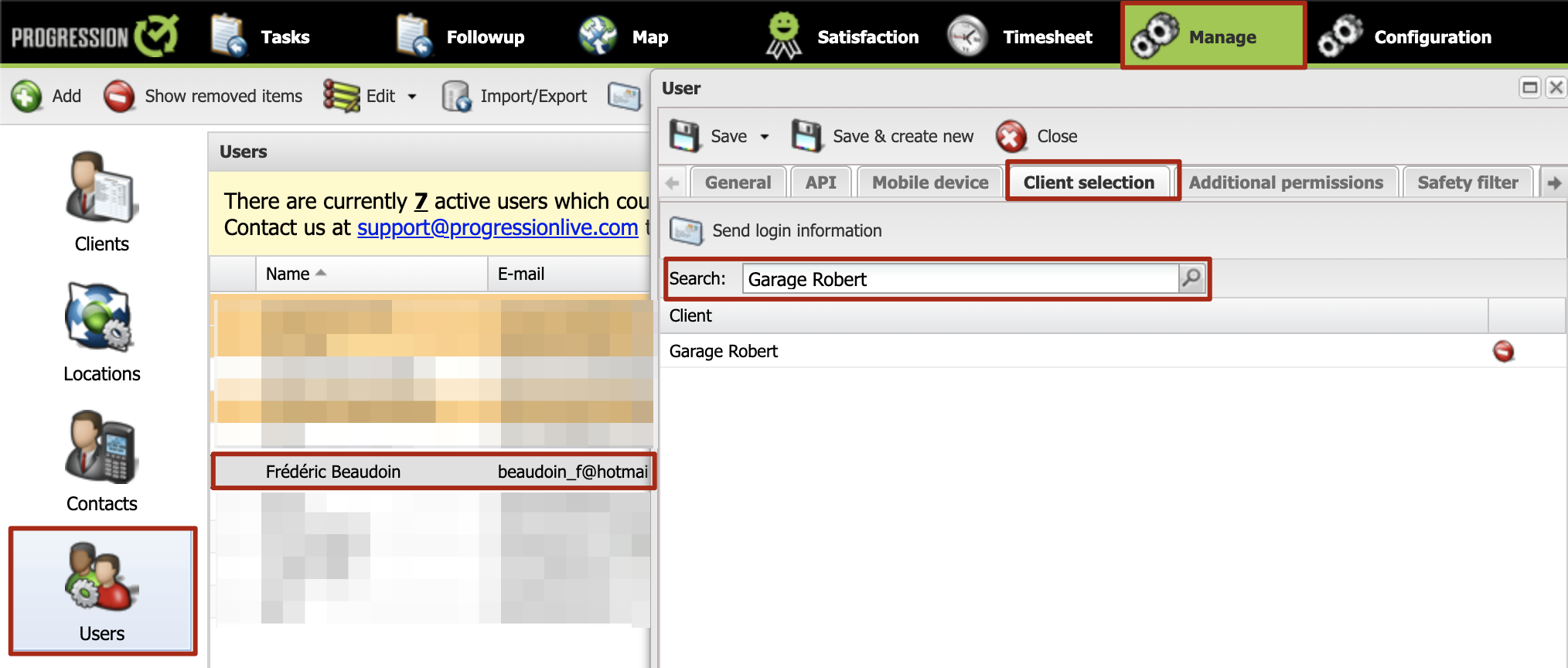
To limit the number of clients a user can see, proceed as follows:
- Click the Manage tab.
- Click Users.
- Click desired user.
- Click Client Selection tab. This is where you select the user's clients. The restriction is total. As soon as a client is listed the user cannot see that or any other listed client.